Testing on Emulators vs Simulators vs Real Devices
10th October 2025
Azure vs AWS: Which Cloud Platform will be best for 2026?
24th October 2025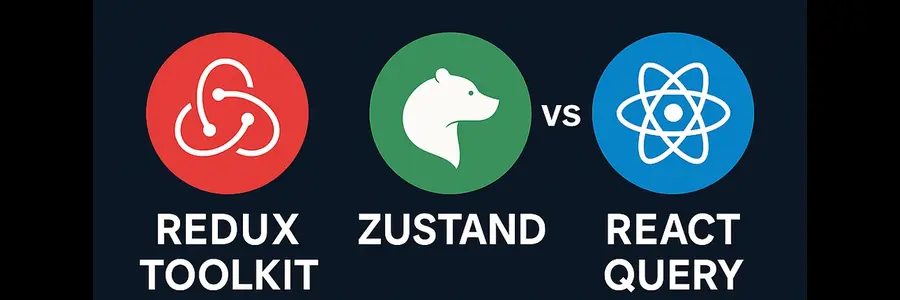
State Management: For React developers, one question always pops up: ‘What’s the best way to handle state in my app?’ 🤔
React developers have plenty of options, but three libraries consistently shine in real-world applications:
🟥 Redux Toolkit (RTK)
🟦 React Query (TanStack Query)
🟩 Zustand
🟥 Redux Toolkit (RTK)
Redux has been a staple in React development for years. While some developers swear by it, others dread its verbose boilerplate. Enter Redux Toolkit — transforming Redux into a much smoother and more enjoyable experience.
✅ When to Use
- Large-scale applications with complex workflows
- Teams that value consistency and robust debugging capabilities
- Enterprise-grade projects where proven, reliable patterns are essential
Example
// store.ts
import { configureStore, createSlice } from "@reduxjs/toolkit";
const counterSlice = createSlice({
name: "counter",
initialState: { value: 0 },
reducers: {
increment: state => { state.value += 1 },
decrement: state => { state.value -= 1 },
},
});export const { increment, decrement } = counterSlice.actions;export const store = configureStore({
reducer: { counter: counterSlice.reducer },
});⚠️ Watch Out
- Still involves a bit of setup (but far less than classic Redux)
- Can feel overly complex for smaller or simpler applications
🟦 TanStack Query (React Query)
React Query isn’t your traditional state management tool — it specializes in managing server state. It takes care of fetching, caching, and keeping your API data perfectly in sync.
Think of it as the concierge of data fetching: it handles the scheduling, refreshing, and edge cases so you don’t have to. 🧠
✅ When to Use
- Ideal for applications that depend extensively on API data
- Offers built-in features like caching, background updates, and pagination
- Works seamlessly with both REST and GraphQL APIs
Example
import { useQuery } from "@tanstack/react-query";function Users() {
const { data, isLoading } = useQuery({
queryKey: ["users"],
queryFn: () => fetch("/api/users").then(res => res.json()),
}); if (isLoading) return <p>Loading...</p>;
return <ul>{data.map(user => <li key={user.id}>{user.name}</li>)}</ul>;
}⚠️ Watch Out
- Not designed for managing local UI state (like handling modals or dropdowns)
- May feel awkward if you attempt to use it as a full replacement for Redux
🟩 Zustand
Zustand is the laid-back contender in the state management world — lightweight, intuitive, yet powerful enough to handle real-world applications.
Lightweight, effortless, and direct — just the state you need. 🐻
✅ When to Use
- Ideal for small to mid-sized applications
- Great choice when you value simplicity and fast setup
- Perfect for handling UI state (like modals and forms) or lightweight global data
Example
import { create } from "zustand";const useStore = create(set => ({
count: 0,
increment: () => set(state => ({ count: state.count + 1 })),
}));function Counter() {
const { count, increment } = useStore();
return <button onClick={increment}>{count}</button>;
}⚠️ Watch Out
- Has a more limited ecosystem compared to Redux
- Missing some of the advanced tooling needed for large-scale enterprise apps
🎯 The Takeaway
Quick recap time 📝:
- Redux Toolkit → Ideal for large-scale, complex applications that demand structured patterns and seamless team collaboration.
- React Query → Perfect for managing server state: fetching, caching, and keeping API data in sync.
- Zustand → Great for lightweight state management, handling both local UI and global state effortlessly, without any boilerplate.
👉 And the truth is, you don’t have to choose just one — many teams use a combination:
- Zustand — my go-to for small side projects 🌱
- React Query — perfect for API-driven applications 🔄
- Redux Toolkit — the choice for large-scale, enterprise-grade apps 🏢