

How a Tester Can Use Inspect Tools to Become a Pro Tester — A Step-by-Step Guide
17 June 2026
What Is Geo-Restriction?
11 August 2026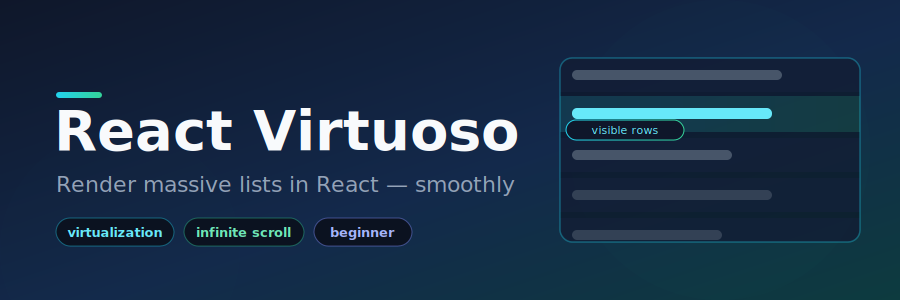
React Virtuoso: How to Render Huge Lists in React Without the Lag
If you’ve ever tried to display hundreds or thousands of items in a React app, you’ve probably watched it slow to a crawl. React Virtuoso fixes this using a technique called virtualization. In this beginner’s guide, we’ll cover what it is, why it matters, and how to use it for real blog content — step by step, in plain language.
The Problem: Long Lists Are Slow
Imagine a blog with 1,000 posts shown on one page. Normally, React renders all 1,000 items into the browser at once. Even though a visitor can only see about 10 at a time, the browser still builds and tracks all 1,000. This burns memory and makes scrolling feel heavy and laggy.
What Is Virtualization?
Virtualization (also called “windowing”) is a clever trick: instead of rendering every item, it only renders what’s currently on screen, plus a small buffer above and below. As you scroll, off-screen items are removed and new ones are added in. Scrolling stays fast no matter how big the list gets.
React Virtuoso handles all of this for you — no measuring item heights, no complicated math.
Installing React Virtuoso
Inside your React project, open the terminal and run:
npm install react-virtuosoThat’s it. It works with React 18 and React 19 and has no heavy dependencies.
Basic Usage
The main component is Virtuoso. At minimum it needs three things:
- A height for its container
totalCount— how many items there areitemContent— a function that draws each item
import { Virtuoso } from 'react-virtuoso'

export default function App() {
  return (
    <Virtuoso
      style={{ height: '400px' }}
      totalCount={1000}
      itemContent={(index) => <div>Item {index}</div>}
    />
  )
}
This shows a scrollable list of 1,000 items, but only the visible ones actually exist in the browser at any moment.
Using React Virtuoso for Blog Content
Let’s display a list of blog posts. Suppose each post has a title and an excerpt:
import { Virtuoso } from 'react-virtuoso'

const posts = [
  { id: 1, title: 'Getting Started with React', excerpt: 'Learn the basics...' },
  { id: 2, title: 'Understanding Hooks', excerpt: 'A deep dive into useState...' },
  // ...imagine hundreds more
]

export default function BlogList() {
  return (
    <Virtuoso
      style={{ height: '600px' }}
      data={posts}
      itemContent={(index, post) => (
        <article style={{ padding: '16px', borderBottom: '1px solid #eee' }}>
          <h3>{post.title}</h3>
          <p>{post.excerpt}</p>
        </article>
      )}
    />
  )
}
Notice the data prop — pass your array and Virtuoso gives each item to itemContent as the second argument, so you don’t have to look it up by index. It also measures posts of different heights automatically.
Loading More Posts as You Scroll (Infinite Scroll)
Blogs often load posts in batches. The endReached callback fires when the user scrolls near the bottom:
<Virtuoso
  style={{ height: '600px' }}
  data={posts}
  itemContent={(index, post) => (
    <article>
      <h3>{post.title}</h3>
      <p>{post.excerpt}</p>
    </article>
  )}
  endReached={() => loadMorePosts()}
/>
When the reader nears the end, loadMorePosts() runs so you can fetch the next batch from your server. The first page stays fast, and more loads only when needed.
Grouping Posts (By Category or Month)
Want section headers — for example, grouping posts by month? Use the GroupedVirtuoso component. Instead of a total count, you give it groupCounts (how many items are in each group) and a groupContent function for the headers:
import { GroupedVirtuoso } from 'react-virtuoso'

const months = ['January', 'February', 'March']
const groupCounts = [12, 8, 15] // posts per month

<GroupedVirtuoso
  style={{ height: '600px' }}
  groupCounts={groupCounts}
  groupContent={(groupIndex) => (
    <div style={{ background: '#f5f5f5', padding: '8px' }}>
      <strong>{months[groupIndex]}</strong>
    </div>
  )}
  itemContent={(index) => <div>Post #{index}</div>}
/>
The group headers stick to the top as you scroll through that section — perfect for archives and category pages.
Adding a Header and Footer
You can place custom content above and below the list using the components prop — great for an intro banner or a “you’ve reached the end” message:
<Virtuoso
  style={{ height: '600px' }}
  data={posts}
  itemContent={(index, post) => <article>{post.title}</article>}
  components={{
    Header: () => <h2>Latest Articles</h2>,
    Footer: () => <p>That's all for now!</p>,
  }}
/>
Key Features at a Glance
- Variable item sizes — handles different heights automatically
- Dynamic size changes — readjusts if an item’s height changes after loading
- Responsive sizing — adapts safely to flexbox and screen changes
- Bi-directional infinite scroll — load data at the top or bottom
- Custom header, footer, and wrappers — full control over markup
- Grouped lists, grids, and tables — beyond simple lists
Common Mistakes to Avoid
- Forgetting the height. Virtuoso needs a defined height (via
styleor a flex parent). Without it, nothing shows. - Heavy work inside
itemContent. This function runs often while scrolling, so keep it light and avoid expensive calculations there. - Using it for tiny lists. For a handful of items, a normal
.map()is simpler and just as fast.
React Virtuoso vs. Other Options
Other libraries like react-window and react-virtualized also do virtualization, but they usually require you to know or measure each item’s height in advance. React Virtuoso’s biggest advantage is that it measures variable heights automatically, which makes it much friendlier for content like blog posts where every item is a different size.
When Should You Use It?
Reach for React Virtuoso when displaying long lists — blog feeds, comment threads, search results, chat messages, or data tables. If your list is short, you don’t need it. Add virtualization once the list grows big enough to cause noticeable slowdowns.
Frequently Asked Questions
Does it work with server-side rendering (SSR)? Yes, React Virtuoso supports SSR and frameworks like Next.js.
Can I use it for a grid or table, not just a list? Yes — it ships with grid and table components in the same family.
Is it free? The core react-virtuoso package is open source and free to use. Some specialized add-ons (like the chat message list) are separate commercial products.
Conclusion
React Virtuoso takes one of the trickiest performance problems in React — rendering large lists — and makes it almost effortless. With just a height, your data, and a render function, you get smooth, fast scrolling no matter how much content you have. For a content-heavy blog, it’s one of the simplest upgrades you can make to keep your pages quick and responsive.