𝐌𝐚𝐬𝐭𝐞𝐫 𝐓𝐡𝐞 𝐁𝐨𝐫𝐢𝐧𝐠 𝐖𝐨𝐫𝐤
26th June 2025
How to Pick the Perfect Thinking Style: Finding What Works for You!
21st July 2025
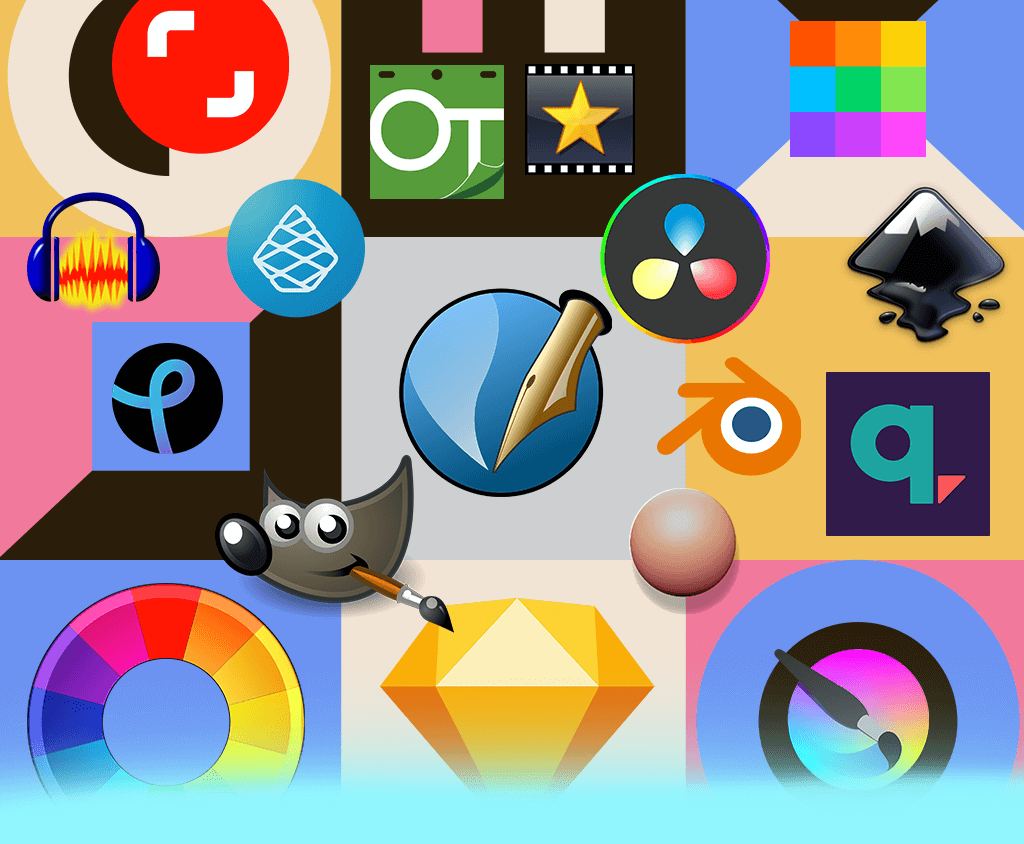
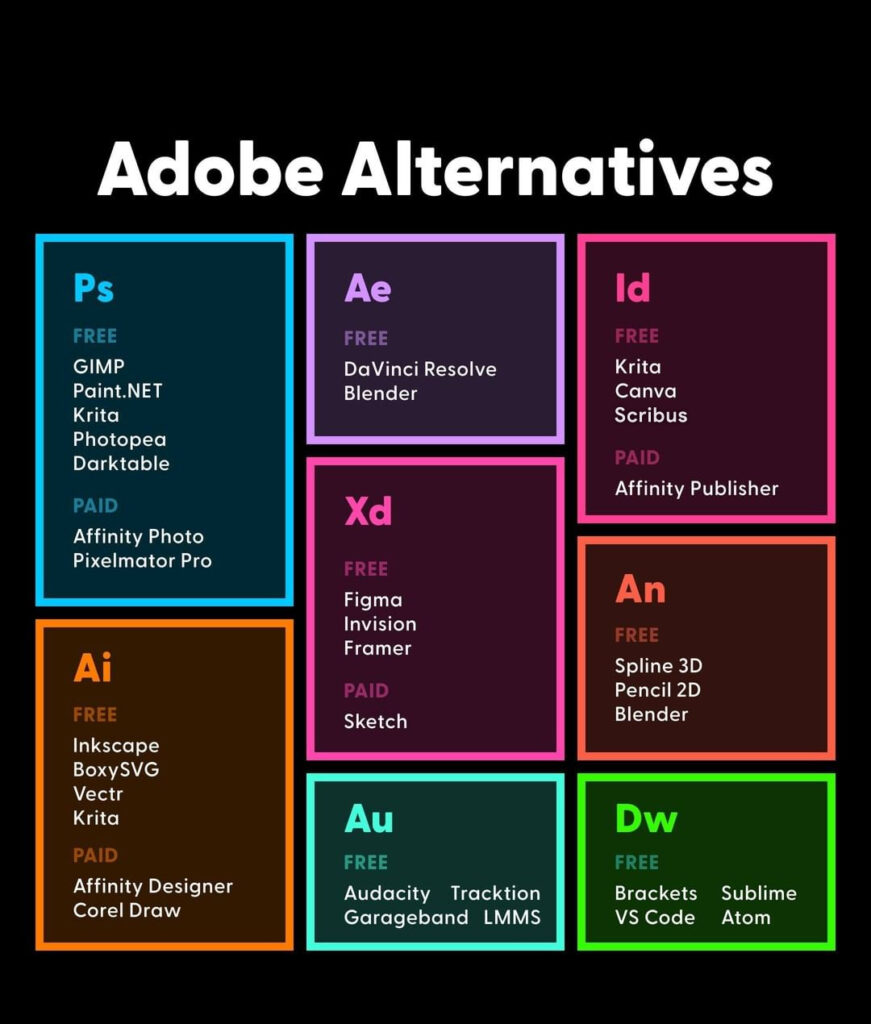
Adobe has long been the industry leader in creative software, powering everything from photo editing and video production to graphic design and animation. But with rising subscription costs and increasing demand for flexibility, many users—freelancers, students, and even businesses—are seeking affordable and powerful alternatives.
In this blog, we’ll break down the best alternatives to the most popular Adobe software, including Photoshop, Illustrator, Premiere Pro, After Effects, InDesign, and more.

🎨 Adobe Photoshop Alternative: Photo Editing & Retouching
1. Affinity Photo (Paid, One-Time)
- Platform: Windows, macOS, iPad
- Why It’s Great: Professional-grade photo editing at a one-time price. It supports RAW, CMYK, and PSD files and includes non-destructive editing, advanced retouching tools, and a Photoshop-like interface.
- Best For: Designers, photographers, agencies.
2. GIMP (Free & Open Source)
- Platform: Windows, macOS, Linux
- Why It’s Great: Feature-rich and free, GIMP includes layers, brushes, filters, and a massive community for plugins and support.
- Best For: Beginners, hobbyists, Linux users.
🖼️ Adobe Illustrator Alternative: Vector Graphic Design
1. Inkscape (Free & Open Source)
- Platform: Windows, macOS, Linux
- Why It’s Great: Fully-featured vector graphics editor that supports SVG, AI (import), and PDF. Offers bezier tools, gradients, node editing, and more.
- Best For: Logo designers, UI illustrators, and web designers.
2. Affinity Designer (Paid, One-Time)
- Platform: Windows, macOS, iPad
- Why It’s Great: Fast and intuitive vector and raster design in one app. Professional-level control with no subscription.
- Best For: UI/UX, branding, mobile/web designers.
🎬 Adobe Premiere Pro Alternative: Video Editing
1. DaVinci Resolve (Free & Studio Version)
- Platform: Windows, macOS, Linux
- Why It’s Great: Combines editing, color grading, audio post, and VFX in one platform. The free version is extremely powerful.
- Best For: Indie filmmakers, YouTubers, post-production pros.
2. HitFilm Express (Free, Paid Upgrades)
- Platform: Windows, macOS
- Why It’s Great: User-friendly interface with powerful tools for editing and VFX. Great for content creators.
- Best For: Beginners to intermediate video editors.
💥 Adobe After Effects Alternative: Motion Graphics & VFX
1. Natron (Free & Open Source)
- Platform: Windows, macOS, Linux
- Why It’s Great: Node-based compositing software like Nuke or After Effects. Great for simple to intermediate VFX work.
- Best For: VFX artists, animators, open-source enthusiasts.
2. Blender (Free & Open Source)
- Platform: Windows, macOS, Linux
- Why It’s Great: While mainly a 3D tool, Blender also includes powerful compositing and video editing features, ideal for creating motion graphics and animations.
- Best For: 3D motion designers, animators.
📰 Adobe InDesign Alternative: Desktop Publishing
1. Affinity Publisher (Paid, One-Time)
- Platform: Windows, macOS
- Why It’s Great: Great for magazines, brochures, and books. Seamless integration with Affinity Photo and Designer.
- Best For: Publishers, marketing teams, agencies.
2. Scribus (Free & Open Source)
- Platform: Windows, macOS, Linux
- Why It’s Great: Supports CMYK, PDF/X, and professional layout tools. Can feel dated, but gets the job done.
- Best For: Basic publishing, educational use, and nonprofits.
📽️ Adobe Media Encoder Alternative: Media Conversion
1. HandBrake (Free & Open Source)
- Platform: Windows, macOS, Linux
- Why It’s Great: Excellent video transcoder, supports many codecs, presets for web and devices.
- Best For: Quick compression, converting for streaming, or for devices.
2. Shutter Encoder (Free, Donation-Based)
- Platform: Windows, macOS
- Why It’s Great: Uses FFmpeg backend with a modern UI. Great for batch encoding and converting Pro formats.
- Best For: Professional video editors, colorists.
🔄 Adobe Acrobat Pro DC Alternative: PDF Management
1. PDF XChange Editor (Free & Paid)
- Platform: Windows
- Why It’s Great: View, edit, annotate, and export PDFs. Lightweight and feature-rich.
- Best For: Business and educational users.
2. Foxit PDF Editor (Paid)
- Platform: Windows, macOS, Mobile
- Why It’s Great: Powerful, enterprise-level tool with cloud collaboration. Great for form filling and team use.
- Best For: Teams, professionals, corporate users.
🎨 All-in-One Creative Suite Alternative
1. Canva (Free & Paid Pro Plans)
- Platform: Web, Mobile
- Why It’s Great: Design anything—social media posts, presentations, banners—without complex tools. Drag-and-drop simplicity.
- Best For: Marketers, social media managers, and small business owners.
2. CorelDRAW Graphics Suite
- Platform: Windows, macOS
- Why It’s Great: Long-time Adobe competitor with tools for vector, photo, page layout, and typography.
- Best For: Professionals looking for a bundled creative suite.
🧾 Final Thoughts
You don’t have to stay locked into the Adobe ecosystem—there are plenty of excellent alternatives in 2025 that match or even exceed Adobe’s tools in many areas, often at a lower price or even for free. Whether you’re a beginner, hobbyist, or seasoned pro, these tools give you flexibility, power, and freedom to create on your own terms.
For more info: XpertLab
Relatable Blog: UI/UX Trends & Technologies Shaping 2025