
React Virtuoso: How to Render Huge Lists in React Without the Lag
18 June 2026
Why PWAs Freeze After Running for Hours
1 September 2026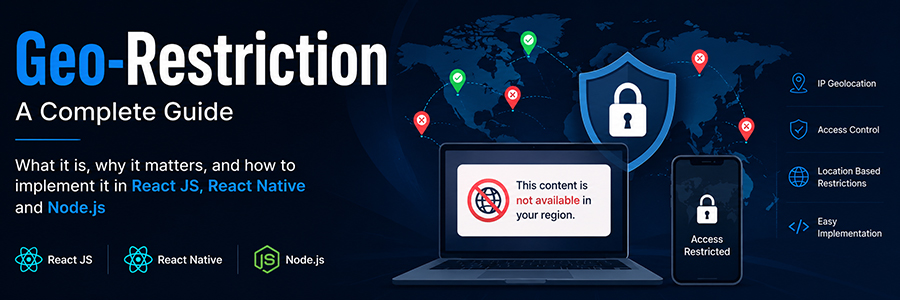
What Is Geo-Restriction?
A Complete Guide — with implementation notes for a React JS + React Native + Node.js stack
In this guide
- What geo-restriction actually means
- Why companies use it
- How it works under the hood
- Types of geo-restriction
- Implementing it: Node.js backend
- Implementing it: React JS frontend
- Implementing it: React Native mobile app
- Common ways people bypass it
- Best practices and legal notes
- Conclusion
What Geo-Restriction Actually Means
Geo-restriction (also called geo-blocking or geo-fencing in some contexts) is a technique websites, apps, and streaming platforms use to allow or deny access to content based on a user’s physical location. If you’ve ever tried to watch a show on Netflix while traveling abroad and seen a message like “This title is not available in your region, ” you’ve run into geo-restriction firsthand.
In simple terms: the system checks “where is this person connecting from?” and then decides “should they be allowed to see this?”
Why Companies Use It
Licensing and copyright
A streaming service may only have the legal rights to show a movie in certain countries.
Legal and regulatory compliance
Some content, products, or services are restricted by local law (gambling apps, certain financial products, age-restricted content).
Pricing strategy
Businesses sometimes show different prices or currencies depending on the region.
Security
Blocking traffic from high-risk countries can reduce fraud and bot attacks.
Marketing rollouts
A company may launch a feature in one country first (a “phased rollout”) before going global.
How It Works Under the Hood
Geo-restriction systems generally rely on one or more of the following signals:
IP Address Geolocation
Every device connecting to the internet has an IP address, and IP addresses are assigned in blocks to countries and internet service providers. Services like MaxMind GeoIP or IP-API maintain databases mapping IP ranges to countries/cities. The backend server checks the visitor’s IP address against this database and estimates their location.
GPS / Device Location (mobile-specific)
Mobile apps can ask for permission to access the device’s actual GPS coordinates, which is far more accurate than IP-based lookup, but requires explicit user consent.
SIM Card / Mobile Carrier Data
Some mobile apps also check the mobile network operator’s country code as an extra signal.
Browser Locale / Timezone Signals
Less reliable, but sometimes used as a secondary check — the browser’s language and timezone settings can hint at a user’s likely region.
Key idea : No single signal is 100% accurate. Most production systems combine IP geolocation with at least one secondary signal to
reduce false positives.
Types of Geo-Restriction
| Type | What It Does | Example |
| Content blocking | Hides or disables specific content per region | Netflix regional catalogs |
| Full access blocking | Blocks the entire site/app for a region | A service unavailable in a sanctioned country |
| Feature flagging | Enables/disables specific features by region | A payment method only available in one country |
| Price localization | Shows different prices/currency per region | Regional SaaS pricing pages |
Implementing It: Node.js Backend
Since your backend is Node.js, the most common approach is to check the requester’s IP address on every request using an Express middleware, then allow or block accordingly. A lightweight library like geoip-lite works well for this without needing an external API call.
// npm install geoip-lite express
const geoip = require('geoip-lite');
const express = require('express');
const app = express();
// List of countries allowed to access this content
const ALLOWED_COUNTRIES = ['US', 'IN', 'GB', 'CA'];
function geoRestrict(req, res, next) {
// Get the real client IP (adjust if behind a proxy/load balancer)
const ip = req.headers['x-forwarded-for']?.split(',')[0] || req.socket.remoteAddress;
const geo = geoip.lookup(ip);
if (!geo) {
// Could not determine location — decide your fallback policy
return res.status(403).json({ message: 'Location could not be verified.' });
}
if (!ALLOWED_COUNTRIES.includes(geo.country)) {
return res.status(403).json({
message: `Sorry, this content is not available in your region (${geo.country}).`
});
}
req.userCountry = geo.country;
next();
}
app.get('/api/premium-content', geoRestrict, (req, res) => {
res.json({ message: `Welcome! Content unlocked for ${req.userCountry}.` });
});
app.listen(5000, () => console.log('Server running on port 5000'));
For higher accuracy in production, many teams pair this with a paid geolocation API (MaxMind GeoIP2, ipinfo.io, or ipapi.co) since free local
databases can go stale over time.
Implementing It: React JS Frontend
The frontend’s job is simply to call your Node.js API and react to the response — never trust the browser alone to decide access, since client-side checks can be bypassed. The frontend should just gracefully handle the “blocked” response.
// React component
import { useEffect, useState } from 'react';
function PremiumContent() {
const [status, setStatus] = useState('loading');
const [message, setMessage] = useState('');
useEffect(() => {
fetch('/api/premium-content')
.then(async (res) => {
const data = await res.json();
if (res.status === 403) {
setStatus('blocked');
} else {
setStatus('allowed');
}
setMessage(data.message);
})
.catch(() => setStatus('error'));
}, []);
if (status === 'loading') return <p>Checking availability...</p>;
if (status === 'blocked') return <div className="geo-blocked">{message}</div>;
if (status === 'error') return <p>Something went wrong.</p>;
return <div>{message}</div>;
}
export default PremiumContent;
Rule of thumb : The server makes the decision. The frontend only displays the result. This prevents users from bypassing restriction
just by editing browser JavaScript.
Implementing It: React Native Mobile App
On mobile, you have an extra tool available: real GPS location (with the user’s permission). This is more accurate than IP lookup and is commonly combined with the same backend check for consistency.
// npm install react-native-geolocation-service
import Geolocation from 'react-native-geolocation-service';
import { PermissionsAndroid, Platform } from 'react-native';
async function requestLocationPermission() {
if (Platform.OS === 'android') {
const granted = await PermissionsAndroid.request(
PermissionsAndroid.PERMISSIONS.ACCESS_FINE_LOCATION
);
return granted === PermissionsAndroid.RESULTS.GRANTED;
}
return true; // iOS handles this via Info.plist + prompt
}
async function checkAccess() {
const hasPermission = await requestLocationPermission();
if (hasPermission) {
Geolocation.getCurrentPosition(
async (position) => {
const { latitude, longitude } = position.coords;
// Send coordinates to backend for verification
const res = await fetch('https://yourapi.com/api/premium-content', {
method: 'POST',
headers: { 'Content-Type': 'application/json' },
body: JSON.stringify({ latitude, longitude }),
});
const data = await res.json();
console.log(data.message);
},
(error) => console.log('Location error:', error),
{ enableHighAccuracy: true, timeout: 15000 }
);
} else {
// Fall back to IP-based check on the backend if permission is denied
console.log('Falling back to IP-based geo-check');
}
}
On the Node.js side, you would add a small reverse-geocoding step (converting latitude/longitude into a country name) using a library or API, then apply the same ALLOWED_COUNTRIES logic as before.
Common Ways People Try to Bypass Geo-Restriction
VPNs
Route traffic through a server in an allowed country, changing the visible IP address.
Proxy servers
Similar to VPNs, reroute the connection through another location.
DNS-based unblockers
Redirect only DNS queries to spoof location for certain services.
Spoofed GPS apps
On mobile, fake-GPS apps can report an incorrect location.
No geo-restriction system is bypass-proof. Serious platforms combine IP checks with VPN/proxy-detection services (e.g., checking whether an IP belongs to a known data center or VPN provider) to raise the difficulty of bypassing it.
Best Practices and Legal Notes
Always decide access on the server, never in frontend code alone.
Keep your IP database updated — IP-to-country mappings change over time.
Fail gracefully — decide what happens when location can’t be determined (block by default is usually safer)
Be transparent with users — clearly explain why access is blocked instead of a vague error.
Get explicit consent before accessing GPS location on mobile, and respect the platform’s (Apple/Google) permission and privacy guidelines.
Check data privacy laws such as GDPR (EU) when storing or processing location data — location can be considered personal data
Conclusion
Geo-restriction is simply the practice of allowing or blocking access based on where a user is located, and it’s used everywhere from streaming platforms to fintech apps. For a stack built on React JS, React Native, and Node.js, the pattern is straightforward: the Node.js backend performs the real location check (via IP or GPS coordinates) and returns an allow/deny decision, while React JS and React Native simply call that API and display the result. Keeping the decision on the server keeps the system secure and consistent across both web and
mobile.