

From Admin Panel to Player’s Phone
14 October 2026
Building a Circular Volume Slider
22 October 2026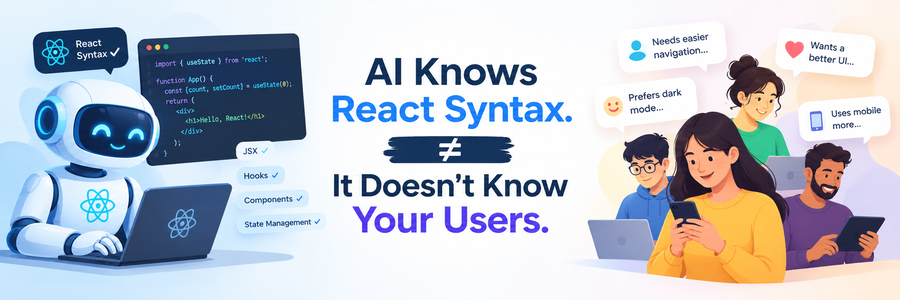
AI Knows React Syntax. It Doesn’t Know Your Users.
Introduction
Last month I asked an AI tool to build a checkout form in React. In under a minute it gave me clean JSX, proper hooks, form validation and even Tailwind classes. Honestly, it looked better than what I would have written in my first pass.
Then I tested it the way our real users would use it. On a budget Android phone, on a shaky mobile network, with a user who taps the Pay button three times because nothing seems to happen. That is where the “perfect” component started falling apart.
This is the gap nobody talks about in the “AI will replace frontend developers” debate. AI is excellent at React syntax. But frontend development was never only about syntax. It is about the people on the other side of the screen, and AI simply cannot see them.
In this post, I want to share why I don’t believe AI will replace frontend developers, based on what I see in my own day-to-day work.
AI Sees Code, Not Context
When you give AI a prompt, it sees text. It does not see who will open your app, on what device, or on what network.
Most AI-generated React code assumes a perfect world: a fast laptop, stable Wi-Fi and the latest Chrome. But many of the users I build for are on mid-range Android phones with 3 to 4 GB of RAM, switching between 4G and weak signal while travelling.
Here is a simple example. I once asked AI for a product listing page. It gave me a beautiful grid with high-resolution images, a heavy animation library and a carousel on every card. On my MacBook it felt smooth. On a ₹10,000 phone it felt like scrolling through mud.
The fix was not about better syntax. It was about knowing the users:
- Lazy-loading images and serving smaller sizes
- Replacing the animation library with simple CSS transitions
- Virtualising the list so only visible items render (something I covered in my React Virtuoso post)
AI did not suggest any of this, because nothing in my prompt told it who the users were. And that is the point. Context is not inside the code. A developer has to bring it.
Users Don’t Behave Like Prompts
AI writes code for the “happy path”. Real users almost never stay on it.
Going back to that checkout form, here is what real users actually did:
- Double and triple clicks: The Pay button had no loading or disabled state, so impatient users created duplicate orders.
- Lost connection mid-submit: The form showed a generic error and cleared every field. Users had to type their address again and many simply left.
- Back button after payment: The app re-submitted the request instead of showing the success page.
- Screen reader users: Error messages appeared visually in red but were never announced, so the user had no idea what went wrong.
None of these are syntax problems. They come from watching how people use your product, reading support tickets and testing on real devices.
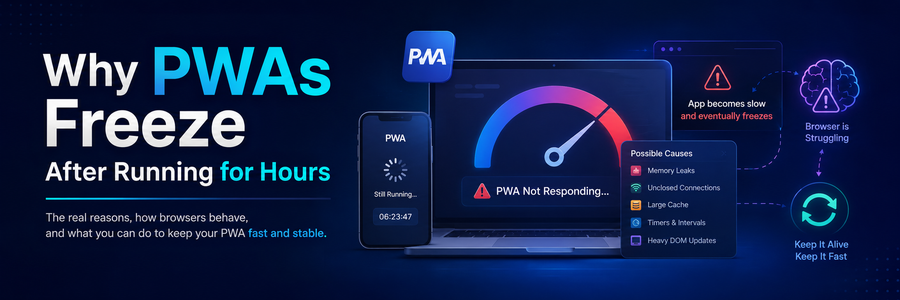
I saw the same thing with a PWA that froze after being open for hours. AI-generated code worked perfectly in a 5-minute test. But users kept the app open all day, and small memory leaks slowly piled up. You only find that kind of bug when you know how your users live with your product, not just how they click through a demo.
Business Context Lives in Meetings, Not in Code
A lot of frontend decisions are made outside the code editor: in client calls, Slack threads and quick conversations with the designer.
One client once asked us to “make the dashboard load faster”. If I had given that exact sentence to AI, it would have suggested code splitting, memoisation and caching. All valid. But after a 15-minute call, I learned the real problem: their sales team opened the dashboard first thing every morning and only cared about one number, today’s orders. The rest of the page could load later.
So the real solution was simple. Show today’s orders instantly and load the charts in the background. The page was not technically much faster, but it felt much faster to the people who used it. The client was happy.
This happens all the time:
- A client says “modern design” but means “look like our competitor”
- A manager says “just a small change” that actually affects three other flows
- A feature is “urgent” because of a demo on Friday, so a simpler version is the right call
Understanding what someone means, not just what they say, is a human skill. AI only knows what you type into it, and most of the important context never gets typed.
Design Trade-offs Need Judgment and Ownership
Ask AI “which state management library should I use?” and you will get a neat comparison of Redux Toolkit, Zustand and TanStack Query. I have written about these myself. But a comparison is not a decision.
The right choice depends on things AI doesn’t know: the team’s experience, how long the project will live, whether a junior developer will maintain it next year, and how much bundle size the client’s users can afford.
Every real project is full of trade-offs like these:
- Speed vs polish: Ship a simple version this week, or a perfect one next month?
- Consistency vs quick fix: Follow the design system, or make a one-off exception for this screen?
- Convenience vs bundle size: Add a 40 KB date library, or write a small helper?
- Flexibility vs simplicity: Build a reusable component, or keep it specific because it’s used only once?
AI can list the pros and cons of each option. What it cannot do is take responsibility for the choice. When the app breaks in production at 11 PM, the client doesn’t call the AI. They call the developer. That ownership, and the judgment that comes with it, is a big part of what we are paid for.
Where AI Genuinely Helps Me
I don’t want this to sound like I’m against AI. I use it every day, and it has made me noticeably faster. Here is where it really shines in my workflow:
- Boilerplate: Form setups, API service files, TypeScript types from a JSON response
- Unit tests: A solid first draft of test cases that I then review and extend
- Refactoring: Converting class components to hooks, or splitting a large component into smaller ones
- Learning: Quickly understanding a new library or an error message I haven’t seen before
- Documentation: Writing README files and code comments
The pattern is clear. AI is great at tasks where the “what” is already decided and only the “how” is left. It saves me time on typing, so I can spend more time on thinking: understanding users, discussing requirements and reviewing quality.
The developers I see struggling are not the ones being replaced by AI. They are the ones who copy AI output without understanding it, and then can’t fix it when it breaks.
Conclusion
So, will AI replace frontend developers? My honest answer is no, but it will change what a good frontend developer looks like.
AI knows React syntax better than most of us ever will. But it doesn’t know that your users are on slow phones, that your client really wanted one number on the dashboard, or that a junior developer will maintain this code next year. That knowledge comes from talking to people, testing on real devices and caring about the experience, not just the output.
If you are a frontend developer worried about AI, my advice is simple:
- Use AI to write code faster
- Invest your saved time in understanding users, performance and accessibility
- Learn to review code critically, whether a human or AI wrote it
- Get closer to the product and business side of your work
The code is becoming easier to write. Understanding users was always the hard part, and that part is still ours.