

OWS – Oily Water Seperator
Technologies
Backend
 PHP
 Python
 Microsoft SQL Server
PHPPythonMicrosoft SQL Server
Tools / Platforms
 Unity
 C#
 Blender
 Maya
Unity
C#
Blender
Maya
Features
Smart features crafted for a seamless digital experience.
Immersive OWS Simulation
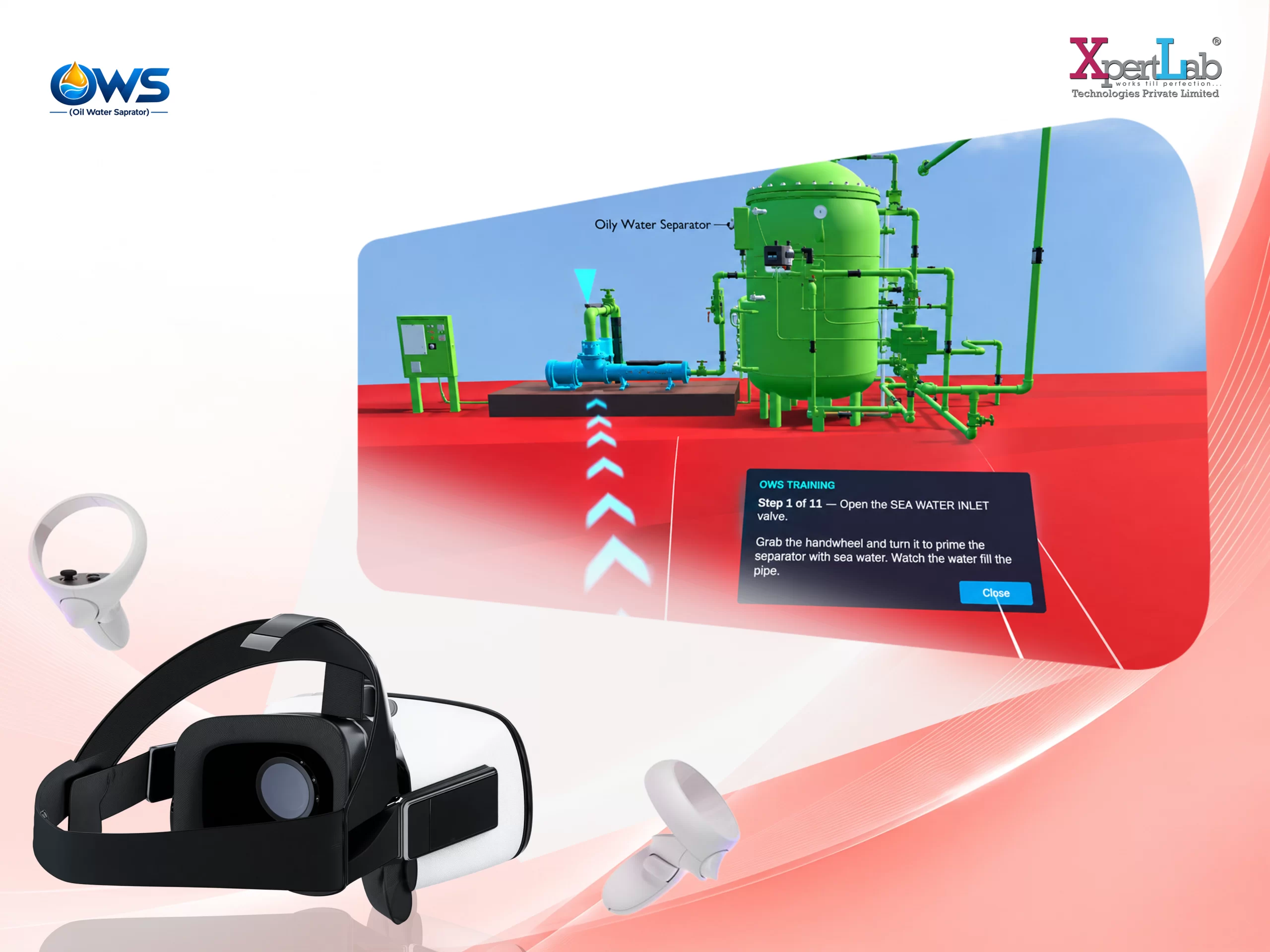
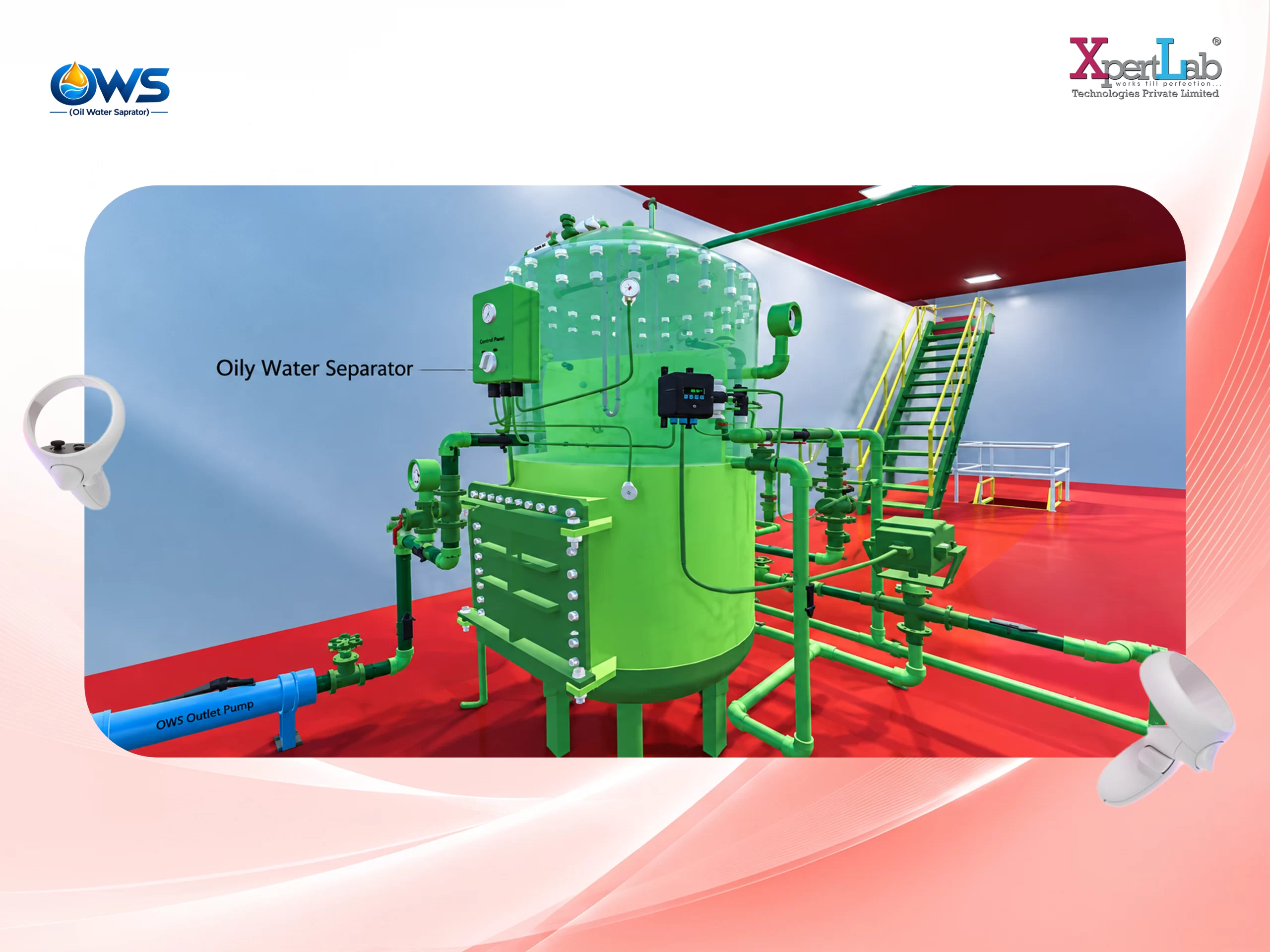
A realistic VR simulation of a ship’s Engine Room Oily Water Separator, designed to provide hands-on operational training.
In-World Trainee Login
Trainees can log in directly through an interactive panel within the virtual environment before starting their training session.
Module-Based Training
Provides three dedicated learning modes: Familiarization, Training, and Assessment, supporting different stages of the learning process.
Familiarization Mode
Allows trainees to freely explore the OWS plant and select individual components to learn about without accidentally starting the system.
Guided Start-Up Training
Provides an interactive 11-step start-up procedure, guiding trainees through the correct operational sequence.
Visual Guidance System
Highlights the required component, displays instructions, and draws a route across the deck to help trainees locate their next action.
Assessment Mode
Tests the trainee's ability to independently perform the complete start-up procedure without instructions, highlighting, or navigation assistance.
Interactive Plant Controls
Trainees physically interact with virtual valves, switches, pipework, and the PPM monitor using their hands.
Realistic Fluid Flow Simulation
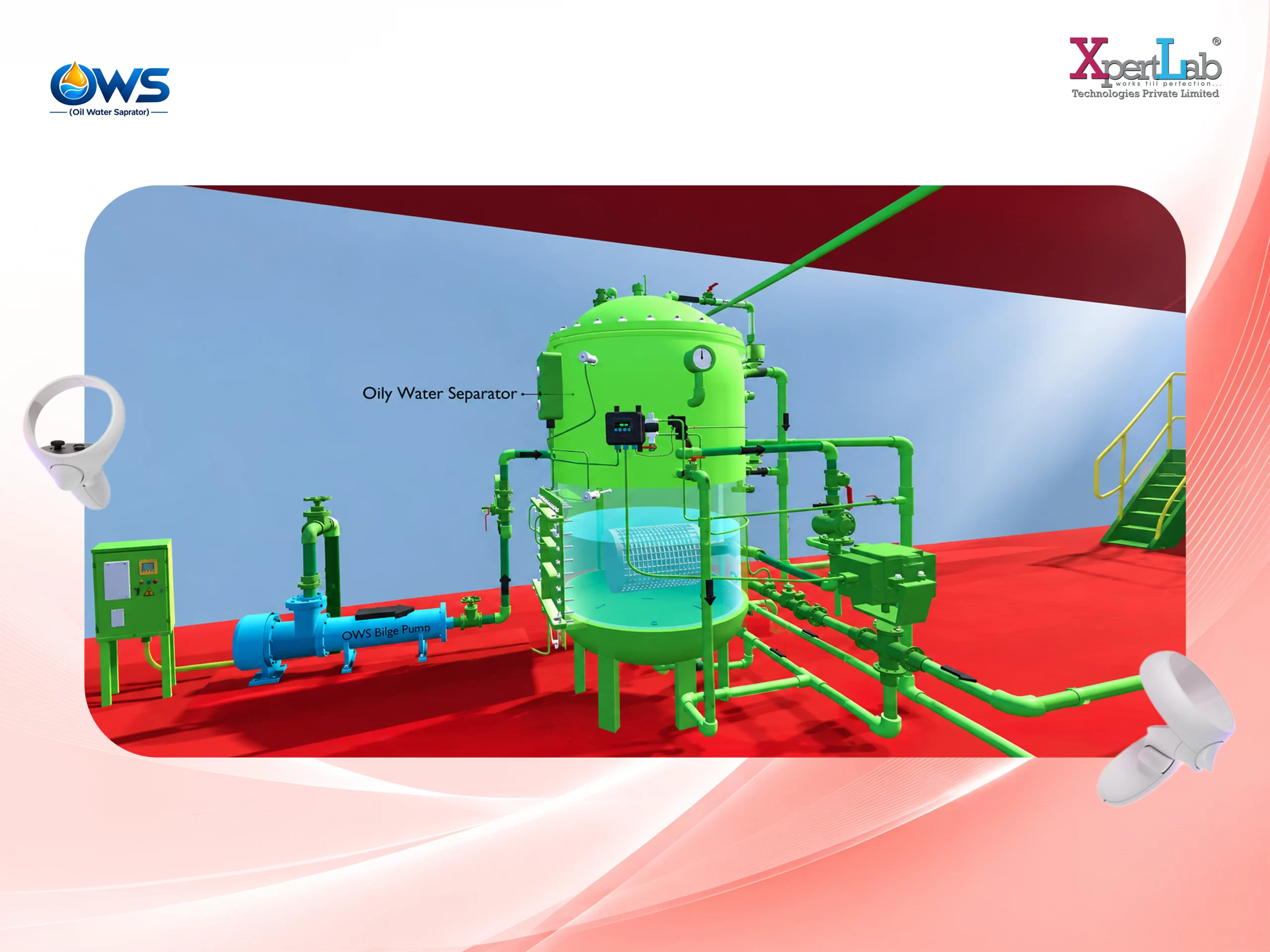
Simulates water moving through the pipework, allowing incorrect valve alignment to affect the system and prevent proper water flow.
Separator Process Simulation
Recreates the OWS process, including separator chamber filling and oil rising during operation.
Dynamic PPM Monitoring
Simulates an oil-content meter that warms up, gradually changes readings, and triggers an alarm when the discharge limit reaches 15 ppm.
Error-Locked Assessment
In Assessment mode, each component can be operated only once. An incorrectly operated valve becomes locked, creating a realistic consequence for procedural mistakes.
Sequence-Based Scoring
Evaluates not just whether a trainee completes the procedure, but whether each action is performed in the correct order.
Detailed Training Data
Records trainee performance for every step, identifying correctly sequenced, out-of-order, and missed actions.
FastAPI Backend Integration
Each training run is submitted to a FastAPI backend as a structured trainee performance record for centralized analysis and tracking.
Meta Quest VR Experience
Built with Unity 6 for an immersive hands-on VR experience optimized for Meta Quest devices.
Assessment Pass/Fail Tracking
The admin panel displays the trainee’s Pass/Fail status for each completed assessment, making it easy to review assessment outcomes.
Sequence Compliance Tracking
During Training mode, the system records whether the trainee performs each operation in the correct sequence. Out-of-order operations are captured in the trainee’s performance record.
Missed & Incorrect Action Records
The admin can identify steps that were missed, performed incorrectly, or completed out of sequence, providing a detailed view of the trainee’s performance.
Familiarization Time Tracking
The system tracks how much time a trainee spends in Familiarization mode while exploring the OWS and learning about its individual components.
Part-Level Learning Activity
Admin records show the trainee’s interaction with different OWS parts and the time spent exploring them during Familiarization mode, providing a clear view of their learning activity.